Skip to content
Support

Time Tracking and Worklog Reports for Jira

KPI reports on Time in status, Time in assignee, Time between statuses, Time since, Time spent, and more. Track time from any date to any date, monitor cycles in status or assignee, overdue time, worklog time, and remaining time until the due date – all within a single app on your Jira dashboard.
Reports

4 reports

  • Time Tracking

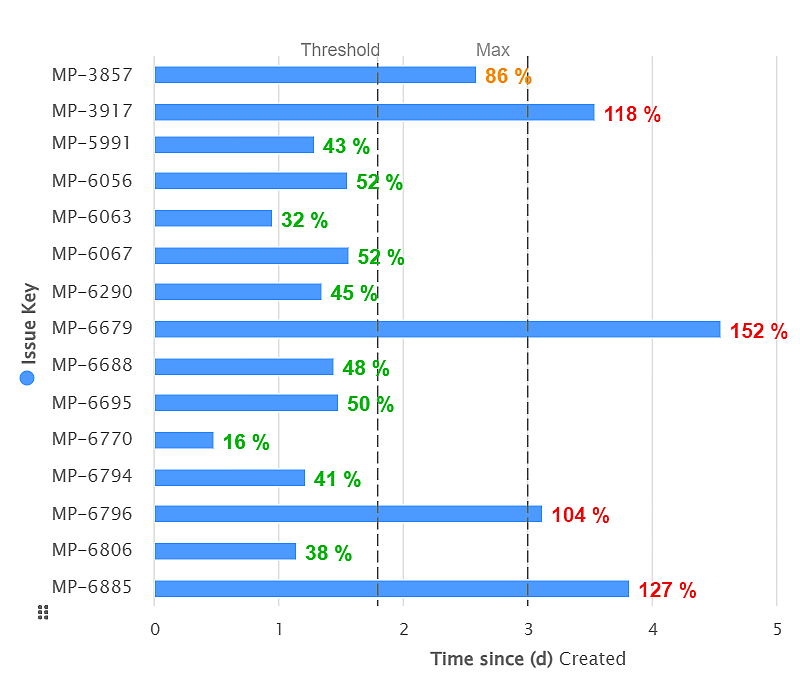
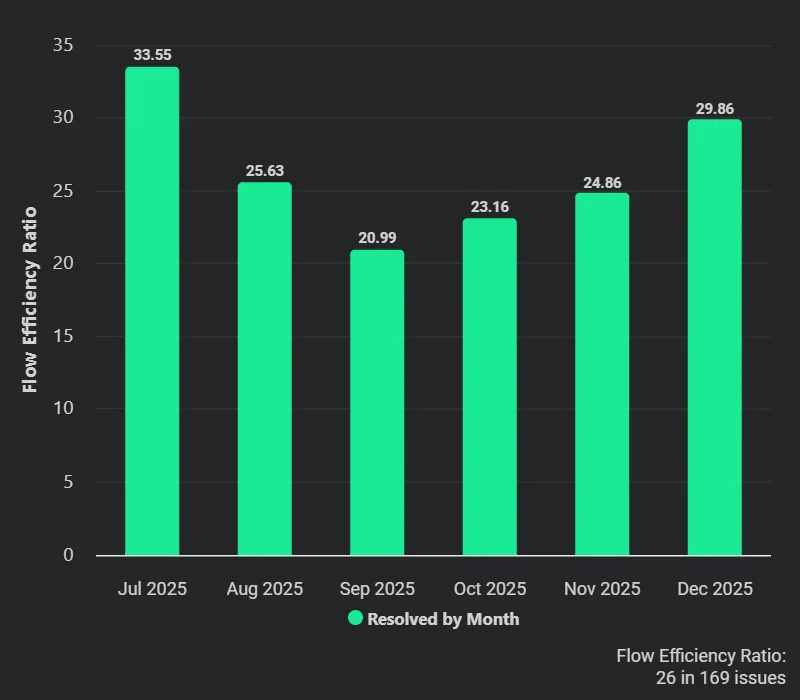
    Max Issue Age KPI

    Track time since any standard or custom Jira date field with the Performance Objectives app. Create KPIs such as 'Max issue age'.

  • Time Tracking

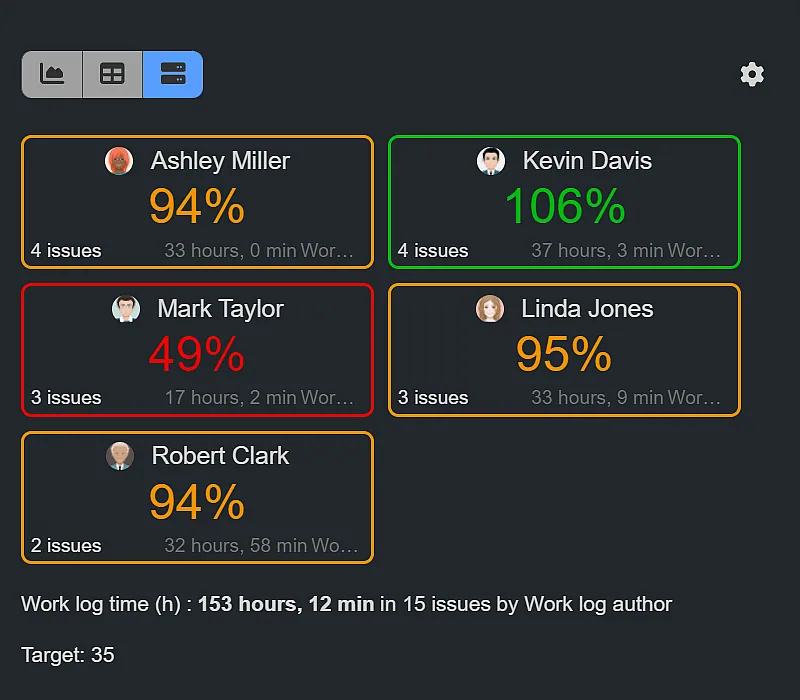
    Worklog Time KPI – Week Goal

    Time Spent by Assignee may yield inaccurate worklog time tracking in Jira. Opt for Worklog Time metric by Work Log Author with Performance Objectives app for precision.

  • Time Tracking

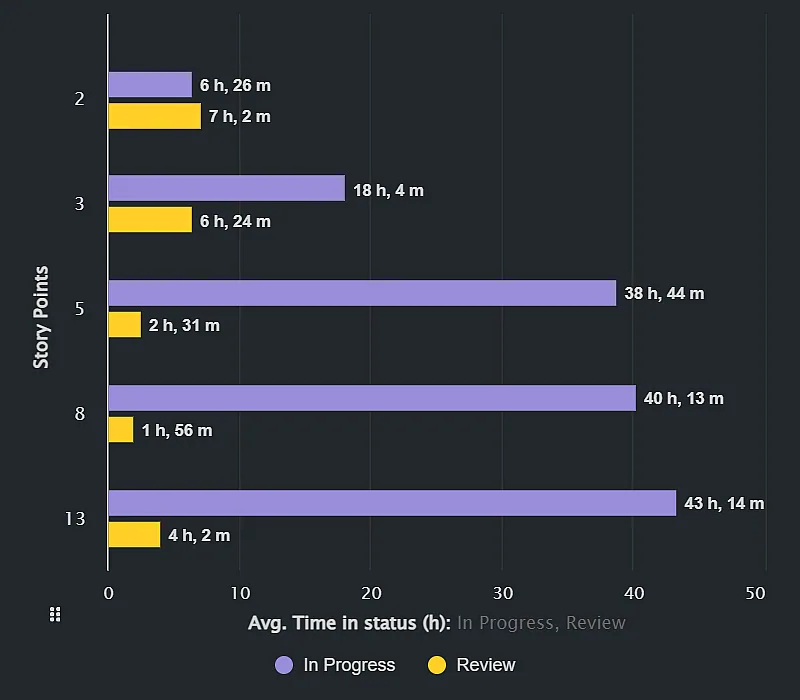
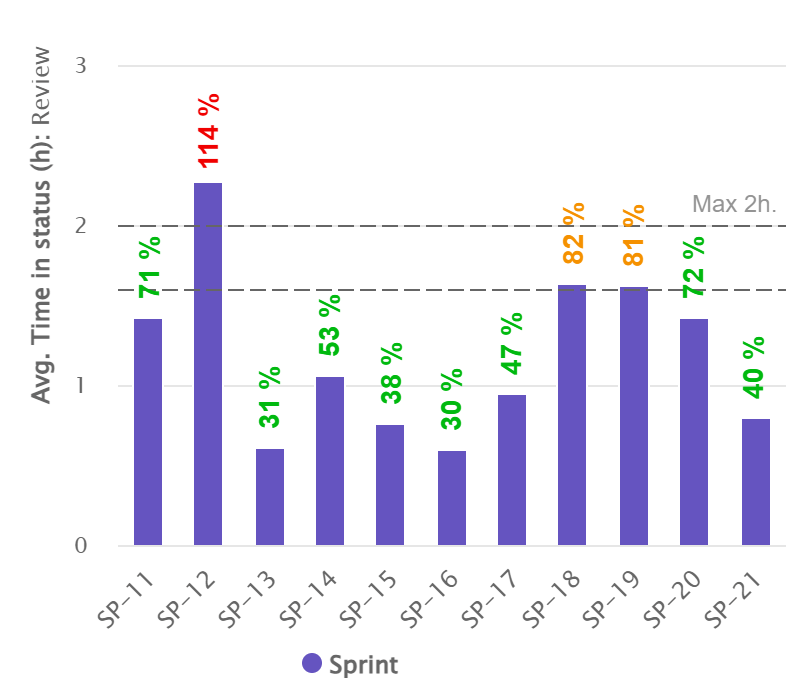
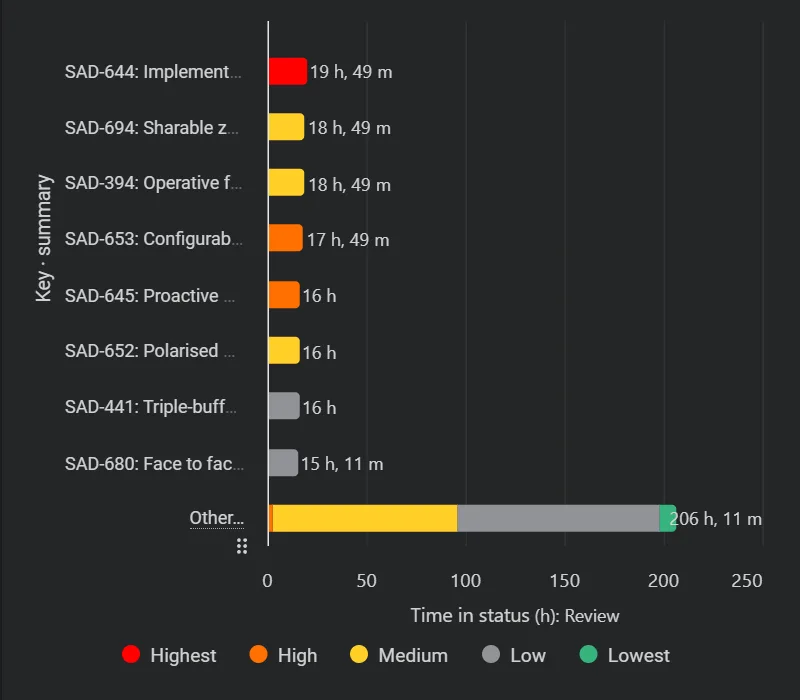
    Average Time in Status in Sprint

    Optimize your sprint performance with Jira KPI reports, analyzing average time in status in sprint. Enhance efficiency and identify bottlenecks effectively.

More Reports (opens in a new tab)

Contact DevAcrobats

Postal Address:

47A Cherni Vrah Blvd., fl.4-5, Puzl, 1407 Sofia, Bulgaria

Email: office@devacrobats.com

The DevAcrobats office at Puzl in Sofia — an open-plan workspace with exposed brick and a central staircase