
 Beyond the Jira Velocity Report: Enhancing Multi-Sprint Reporting
Managing Sprint Carryover in Jira
Learn how to manage sprint carryover in Jira using the Performance Charts app and its powerful reporting capabilities and flexibility.
What is Sprint Carryover?
Sprint Carryover or Rollover refers to Product Backlog Items (PBIs) that are only partially completed by the end of a Sprint. Simply put, carryover is:
- incomplete work
- not part of the increment
- not meeting the definition of Done at the end of the Sprint
What happens with carryover work, however, can vary.
- You could decide to place it back into the Product Backlog with its original priority or reconsider its importance.
- You might automatically carry it over to the next sprint, but in this scenario, you should at least re-estimate the work or reassess its priority.
How Do We Handle Sprint Rollover in Jira?
In this article, we will focus on cases where partially completed work is carried over into the next sprint, particularly when this happens consistently. Our goal is to uncover the reasons behind this ongoing carryover and explore its impact on overall business performance.
If you’re unable to measure sprint carryover, you can’t reduce it. That’s why we recommend using charts to help you identify the causes and measure the extent of carryover in your sprints.
First, evaluate the amount of carryover. Are you consistently rolling over just 1-2 small stories, or are you repeatedly carrying over a significant number of issues that consume a large portion of your next sprint’s capacity? If it’s the latter, continue digging deeper.
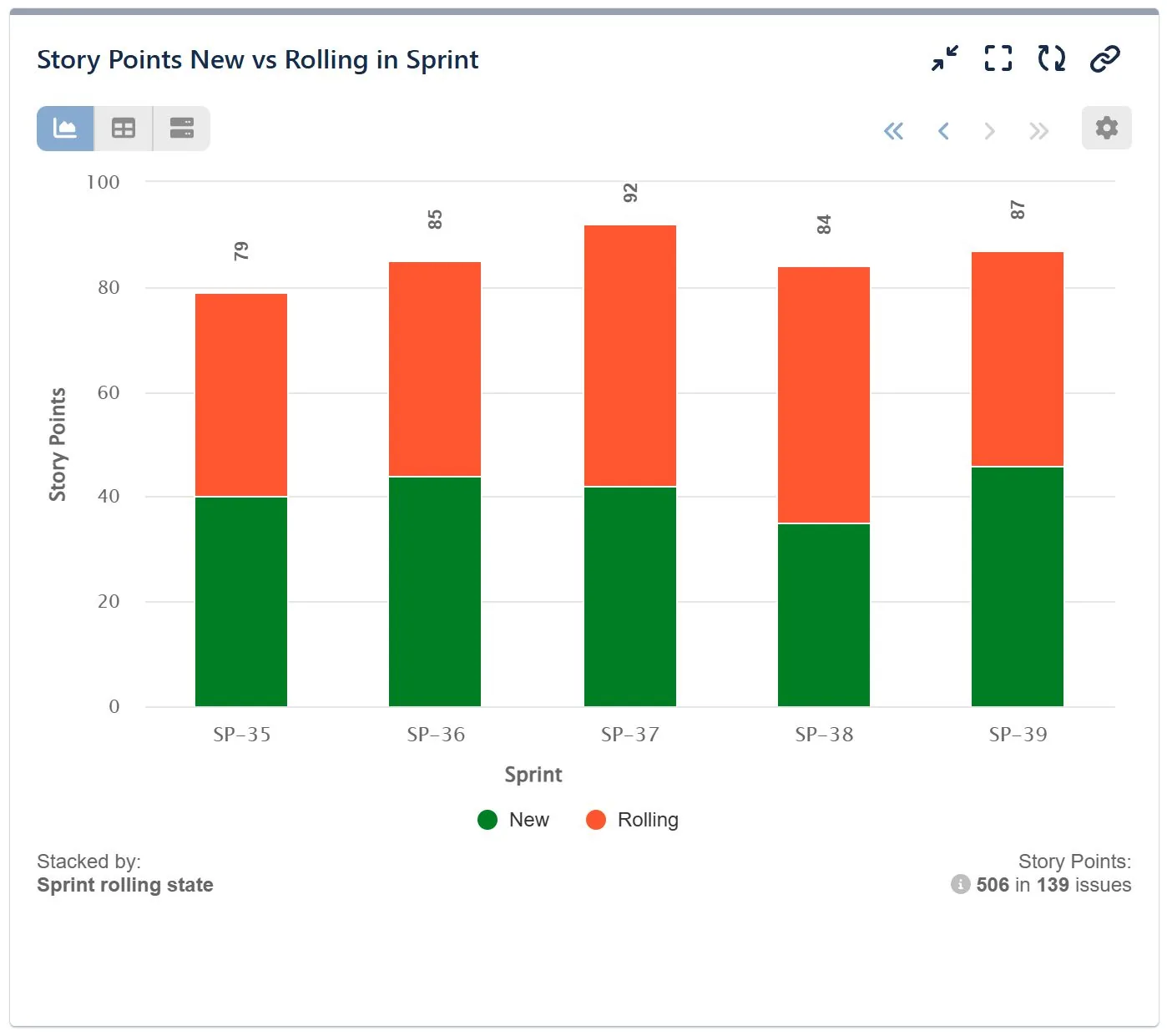
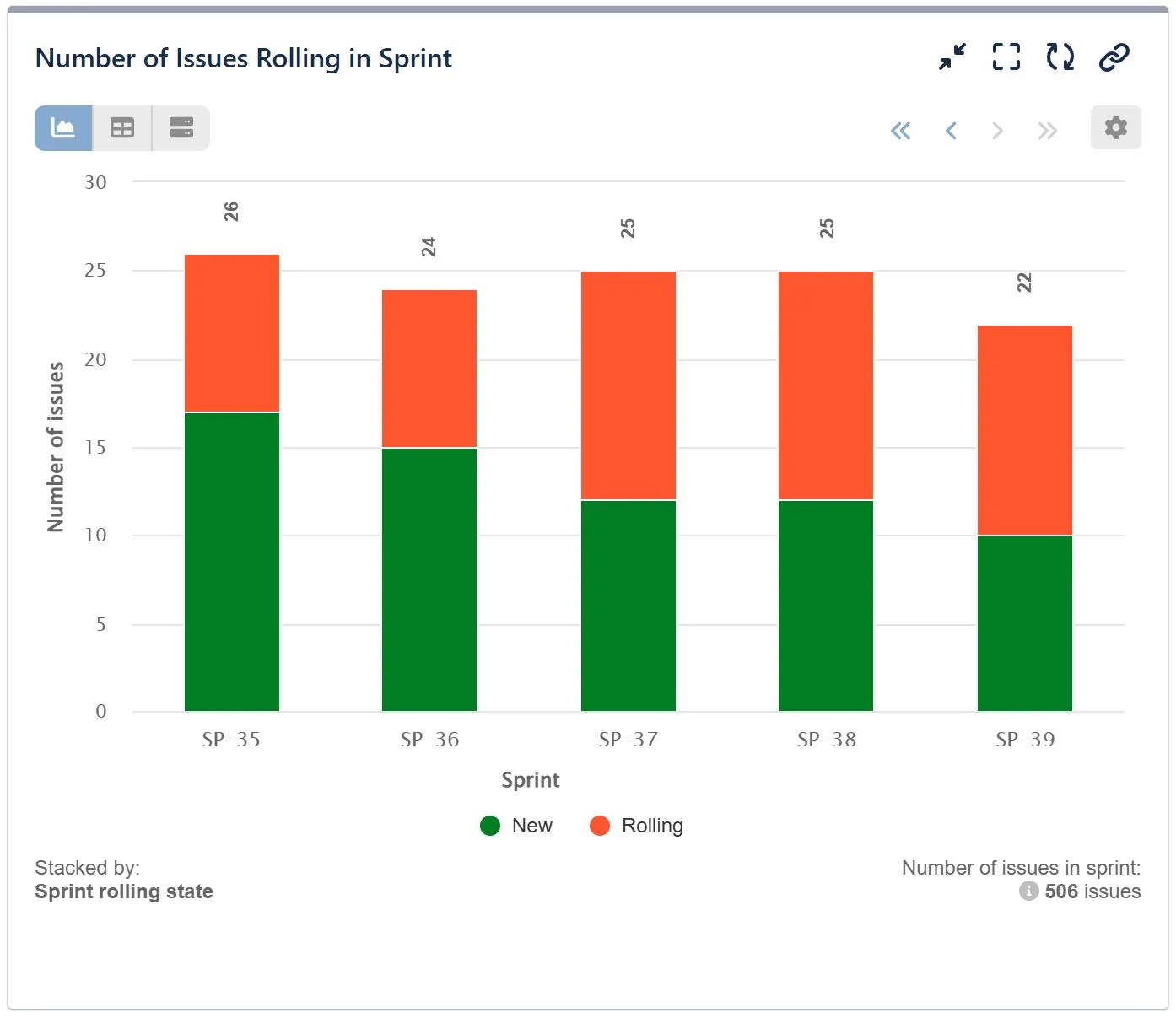
Examine your last few sprints, look for common patterns, and try to answer the following questions: Have we been overcommitting? Is our sprint capacity being accurately calculated, considering team members’ availability? Are there instances where one or more developers are overloaded while others have less work, which might signal poor collaboration, knowledge gaps, or unfair workload distribution? Are the rolling stories too large and not broken down into smaller tasks? Are these carryovers related to specific types of work (e.g., technical debt, bugs, new features)? Do they relate to specific technologies, tools, or services? Are cross-team dependencies contributing to the rollover?
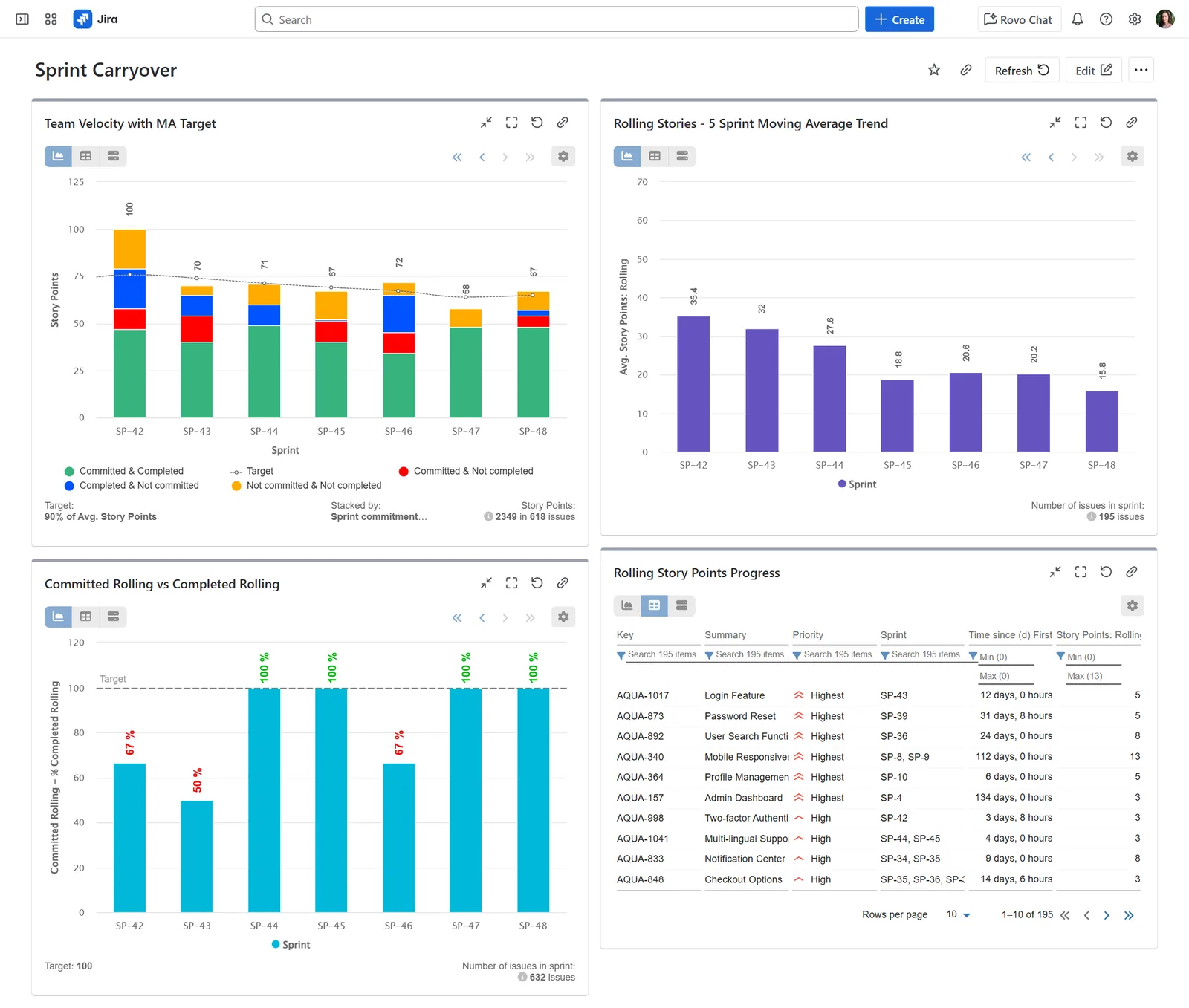
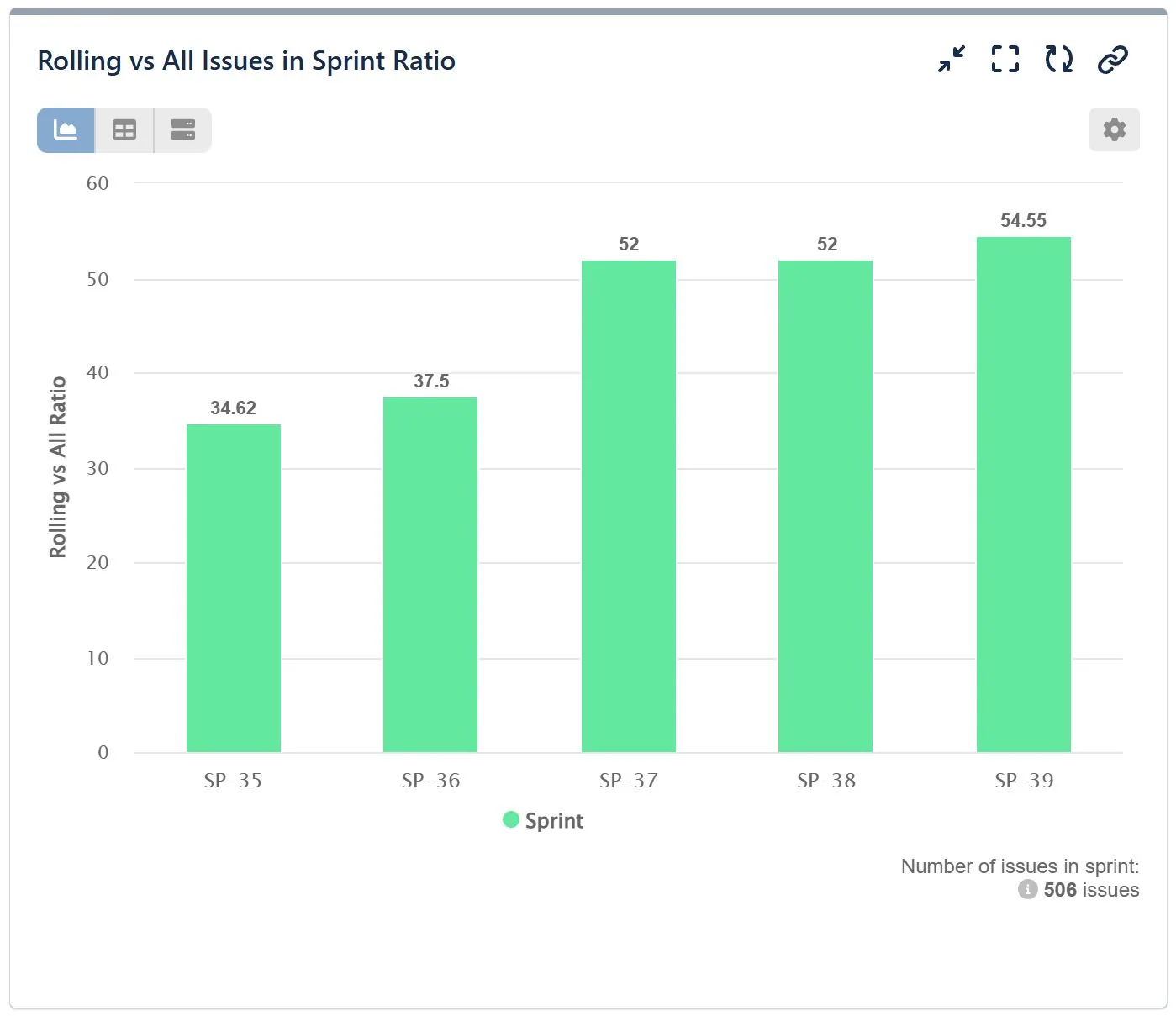
Once you’ve identified the patterns, you can implement corrective measures. What’s important is to remain consistent and continue monitoring the balance between rolling and new story points or the number of issues in each sprint. You can do this by calculating the ratio of rolling issues to new ones on a sprint-by-sprint basis, or even setting a maximum percentage for rolling issues. This way, you’ll have one or two charts to refer to for early warnings of rising sprint carryover, allowing you to investigate the causes behind it
Understanding the Impact and Handling Sprint Carryovers with Jira Reporting
Whichever report you choose to answer your questions, embrace it. Understanding and monitoring the nature of rolling issues in sprints is essential for improving team performance. By analyzing why certain tasks consistently remain incomplete, teams can identify underlying process inefficiencies which can then be addressed during retrospectives.
On the other hand, automatically carrying over uncompleted issues to the next sprint without addressing the root causes can have significant consequences. It creates unpredictability, making it difficult to accurately forecast future work and weakens the team’s ability to meet sprint goals. Over time, this causes delays in releases and product delivery, lowers team morale, and reduces stakeholder trust, ultimately affecting business performance.
Browse our Scrum-related reports library for inspiration and ideas on how to enhance your sprint reporting in Jira using the Performance Charts app.
- Beyond the Jira Velocity Report: Enhancing Multi-Sprint Reporting
 How to Track Open Issues Over Time in Jira (with Historical Trends)
 Beyond Basic Bug Tracking: 4+ Reports for Advanced Jira Defect Management
 Stop Exporting to Excel: Create Custom KPIs Directly in Your Jira Dashboard with Custom Formula
 A Guide to Building Advanced Sprint Reports for Jira Dashboard
 Jira Time in Status Reports: A Practical Guide to Improving Your Workflow
 How to Filter and Report on Overdue Issues in Jira
 Limitations of Reporting on Time Spent by Assignee in Jira
Meaningful Reports for Jira, Made Easy
DevAcrobats develops reporting apps for Jira that extend its capabilities, enabling teams to streamline workflows and enhance performance.