
 Beyond the Jira Velocity Report: Enhancing Multi-Sprint Reporting
How to Filter and Report on Overdue Issues in Jira
Set up a list of ever Overdue Issues in Jira - a feature not supported by native JQL. Access historical overdue data with Performance Charts app.
Can I View “Ever Overdue” Issues in Jira? Bridging the Gap in Native Functionality
Deadlines are crucial to any project, and in Jira, you can easily track issues that are currently overdue using basic filters or JQL, such as dueDate < now(). This query will return both open and resolved issues where the due date is in the past. However, it only shows issues that are overdue at the present moment and doesn’t provide insight into issues that were ever overdue during their lifecycle.
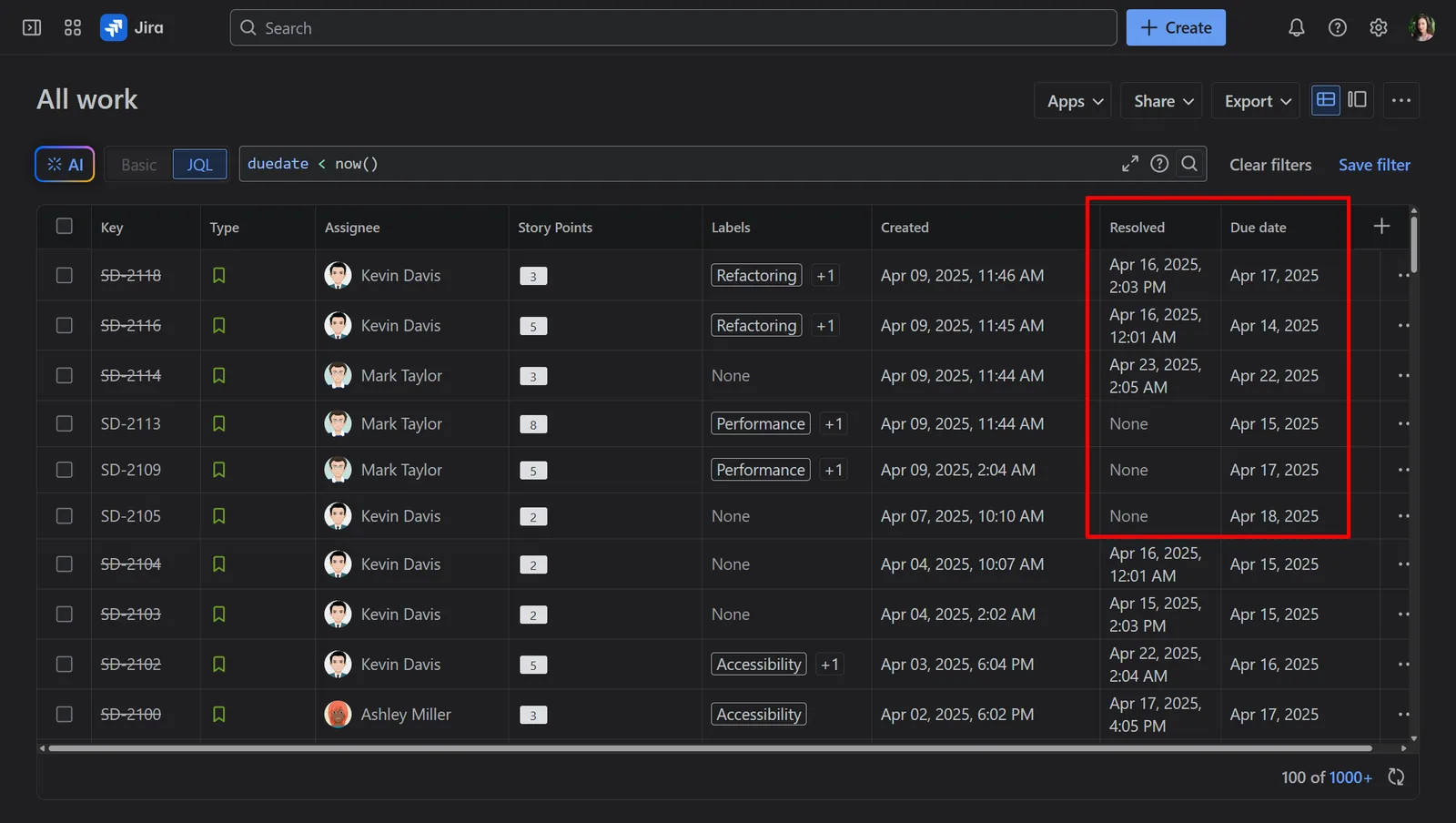
On the other hand, Jira users may attempt to find issues that were overdue by using the JQL query dueDate < resolved, but this will not work. The error occurs because Jira expects specific date formats, and using a field like resolved in a date comparison is invalid.
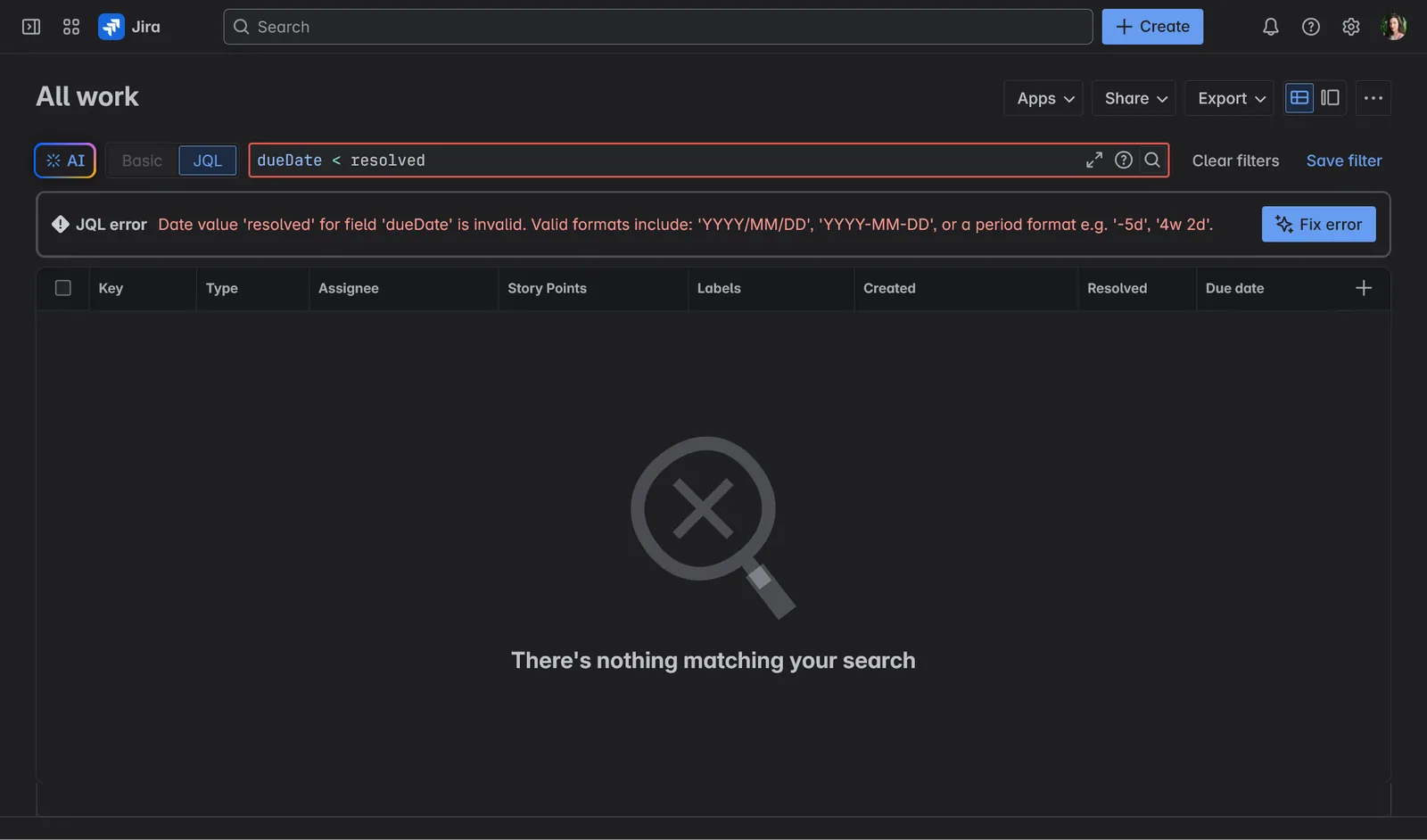
This example highlights a limitation of Jira’s native JQL in tracking historical overdue data, creating a significant gap in reporting, particularly when managers need to analyze past performance or identify recurring delays. That’s where the Performance Charts app comes in, offering a tailored solution to report on issues that were ever overdue, giving you clearer insights into historical overdue data and helping you make more informed decisions.
Why Historical Data on Overdue Issues Matters
Being able to see historical data on overdue issues provides insights that can help teams and project managers in several ways:
- Identifying Bottlenecks: By analyzing which issues have missed deadlines in the past, you can pinpoint where delays consistently occur, whether due to blockers, dependencies, or inefficiencies in the workflow.
- Assessing Team and Individual Performance: Tracking overdue issues over time allows teams to assess how well they meet deadlines, and adjust their workflows or planning accordingly.
- Predicting Future Trends: Past overdue issues can help forecast future delays or plan for tasks that are at risk of missing deadlines.
Without access to this historical data, it’s difficult to proactively improve processes or make informed decisions based on how often deadlines were missed in the past.
Access Historical Overdue Data with the Overdue State Field by the Performance Charts App
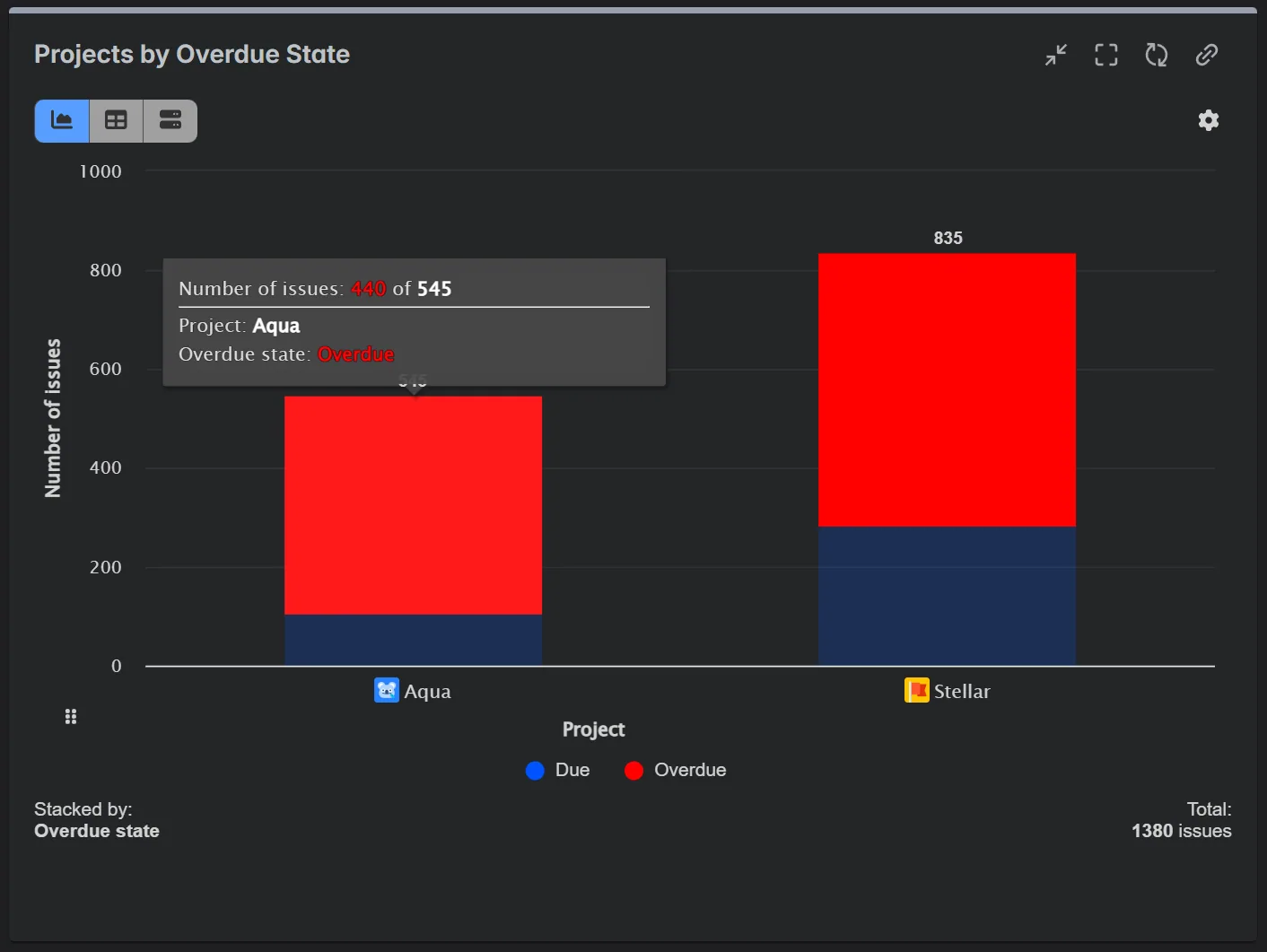
The Performance Charts app for Jira introduces a powerful new field: Overdue State, which can be used in the Display by, Group by, and Stack by options within the app’s gadgets to categorize issues based on their “due” status.
When configured from “Resolved” to “Due Date”, it categorizes issues according to their due status as follows:
- Due: Issues that have not yet passed their due date. If the issue is resolved, it means it was completed before the due date. If unresolved, the issue is still within the due date range.
- Overdue: Issues that have passed their due date, regardless of whether they are resolved or unresolved.
You may also see an Empty category in your chart. These are issues that do not have a due date set. You can exclude these issues in the gadget’s Data Source settings by applying the JQL filter: dueDate IS NOT EMPTY.
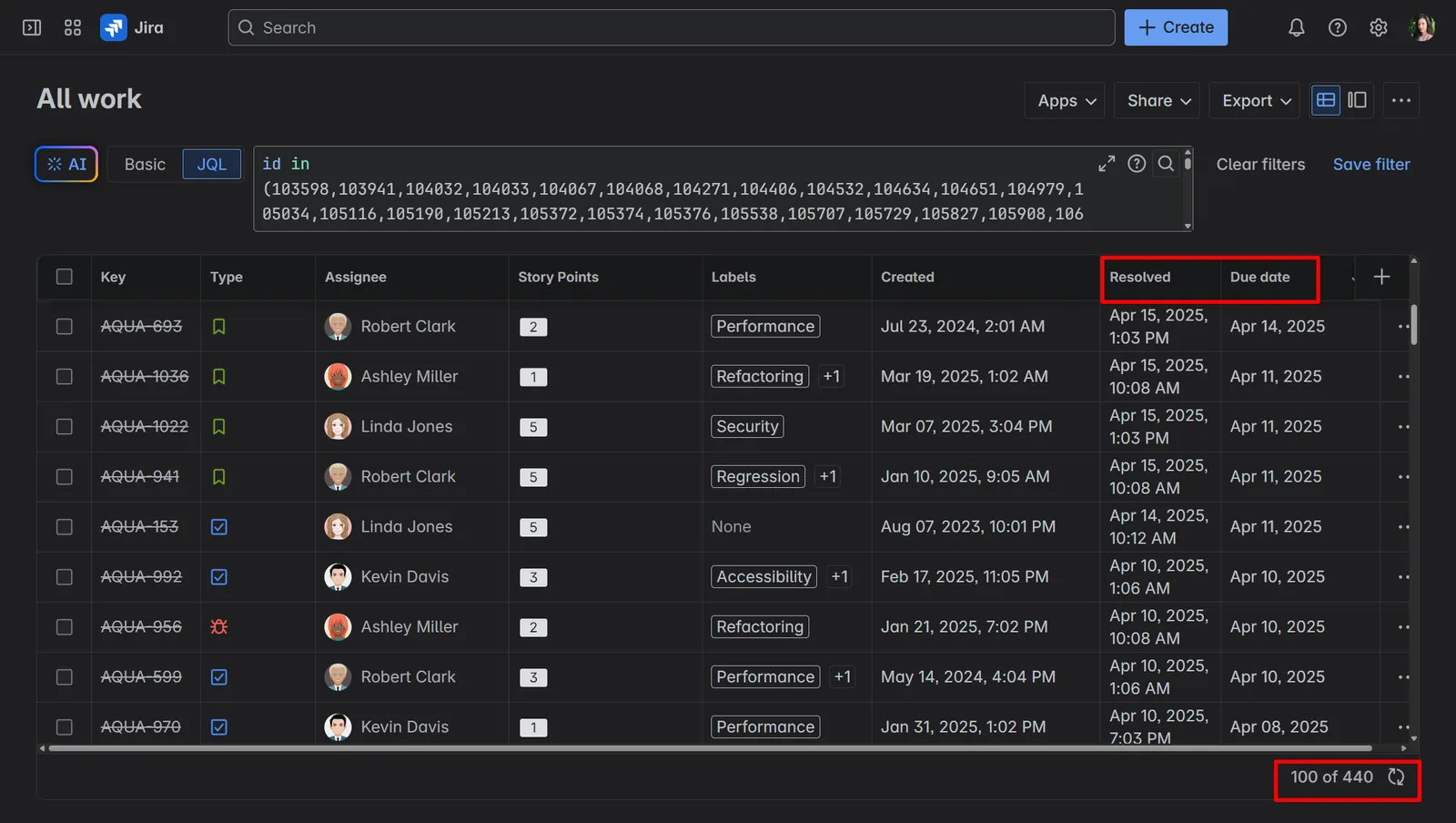
Hovering over the Overdue category in your chart will display the total number of overdue issues. Clicking on the same category will take you to a list of these overdue issues in the Jira Issue Navigator, where you can examine them in detail, save the list as a filter, and use it as a data source for future reports and analysis.
Conclusion
While Jira’s native tools are powerful, they fall short when it comes to tracking issues that were overdue at any point during their lifecycle. The Performance Charts app fills this gap by introducing the Overdue State field, allowing project managers and teams to easily report on issues that were ever overdue.
With this added visibility into overdue issues, teams can gain insights into performance patterns, spot recurring delays, and take proactive steps to improve future project delivery.
- Beyond the Jira Velocity Report: Enhancing Multi-Sprint Reporting
 How to Track Open Issues Over Time in Jira (with Historical Trends)
 Beyond Basic Bug Tracking: 4+ Reports for Advanced Jira Defect Management
 Stop Exporting to Excel: Create Custom KPIs Directly in Your Jira Dashboard with Custom Formula
 A Guide to Building Advanced Sprint Reports for Jira Dashboard
 Jira Time in Status Reports: A Practical Guide to Improving Your Workflow
 Managing Sprint Carryover in Jira
 Limitations of Reporting on Time Spent by Assignee in Jira
Meaningful Reports for Jira, Made Easy
DevAcrobats develops reporting apps for Jira that extend its capabilities, enabling teams to streamline workflows and enhance performance.